 NLJUG – Nederlandse Java User Group NLJUG – de Nederlandse Java User Group – is opgericht in 2003. De NLJUG verenigt software ontwikkelaars, architecten, ICT managers, studenten, new media developers en haar businesspartners met algemene interesse in alle aspecten van Java Technology.
Author: Nicholas D’hondt
Original post on Foojay: Read More
Table of Contents
Everyone assumes you need Python to build AI agents. But the Java ecosystem already has every piece: Spring AI for LLM integration, Spring Events for decoupled messaging, JobRunr for reliable background jobs, and Spring Modulith for clean architecture. We didn’t build anything new. We connected the pieces that were already there.
The result is ClawRunr (everyone calls it JavaClaw, and we’ve stopped correcting them). An open-source AI agent runtime, written in pure Java. You can chat with it on Telegram or in the browser, ask it to summarize your emails every morning, schedule reminders, browse websites, run shell commands, connect external tools via MCP, and teach it new skills at runtime by dropping a Markdown file into a folder.
In this article I’ll walk you through how each part of the Spring ecosystem maps to what an AI agent actually needs.
What does an AI agent need?
Before we look at code, think about what an AI agent has to do beyond just chatting:
| Agent requirement | Java ecosystem solution |
|---|---|
| Talk to an LLM | Spring AI (ChatClient) |
| Call tools based on conversation | Spring AI @Tool annotations |
| Handle messages from multiple channels | Spring Events |
| Schedule and retry background tasks | JobRunr |
| Stay modular as the project grows | Spring Modulith |
None of these were built for AI agents. They’re mature, battle-tested tools that happen to solve exactly the problems agents have.
Spring AI: the LLM layer
At the core of ClawRunr is a DefaultAgent that wraps Spring AI’s ChatClient. The entire class is 20 lines:
@Component
public class DefaultAgent implements Agent {

    private final ChatClient chatClient;

    public DefaultAgent(ChatClient chatClient) {
        this.chatClient = chatClient;
    }

    @Override
    public String respondTo(String conversationId, String question) {
        return chatClient
                .prompt(question)
                .advisors(a -> a.param(ChatMemory.CONVERSATION_ID, conversationId))
                .call()
                .content();
    }
}
That’s your agent. One class, one dependency, provider-agnostic. Want to switch from OpenAI to Anthropic to a fully local Ollama instance? Change one config property. The code doesn’t change.
The prompt itself is assembled from two workspace files. AGENT.md holds the system instructions (editable by the user during onboarding), INFO.md provides environment context:
String agentPrompt = workspace.createRelative("AGENT.md")
        .getContentAsString(StandardCharsets.UTF_8)
    + System.lineSeparator()
    + workspace.createRelative("INFO.md")
        .getContentAsString(StandardCharsets.UTF_8);
Tools are registered through Spring AI’s builder. Shell access, file operations, web scraping, task management, MCP support, and runtime-discoverable skills. All wired in one place:
chatClientBuilder
    .defaultSystem(p -> p.text(agentPrompt))
    .defaultToolCallbacks(mcpToolProvider.getToolCallbacks())
    .defaultToolCallbacks(SkillsTool.builder()
        .addSkillsDirectory(skillsDir.toString()).build())
    .defaultTools(
        TaskTool.builder().taskManager(taskManager).build(),
        CheckListTool.builder().build(),
        McpTool.builder()
            .configurationManager(configurationManager).build(),
        ShellTools.builder().build(),
        FileSystemTools.builder().build(),
        SmartWebFetchTool.builder(chatClientBuilder.clone().build())
            .build())
    .defaultAdvisors(
        ToolCallAdvisor.builder().build(),
        MessageChatMemoryAdvisor.builder(chatMemory).build()
    );
The LLM decides which tool to call based on the conversation. Spring AI handles the tool calling protocol. You just declare what each tool does.
Spring Events: instant multi-channel support
An agent should work on Telegram, in a browser, eventually on Discord or Slack. ClawRunr solves this with a pattern Spring developers already know: events.
The Channel interface is as simple as it gets:
public interface Channel {

    default String getName() {
        return getClass().getSimpleName();
    }

    void sendMessage(String message);
}
When a message comes in from any channel, the runtime fires a ChannelMessageReceivedEvent. The ChannelRegistry tracks which channel sent the last message so background task results get routed back to the right place:
@Service
public class ChannelRegistry {

    private final Map<String, Channel> channels = new HashMap<>();
    private final AtomicReference<ChannelMessageReceivedEvent> lastChannelMessage
        = new AtomicReference<>();

    public void registerChannel(Channel channel) {
        channels.put(channel.getName(), channel);
    }

    public Channel getLatestChannel() {
        if (lastChannelMessage.get() != null) {
            return channels.get(lastChannelMessage.get().getChannel());
        }
        return channels.get(defaultChannelName);
    }
}
The agent itself doesn’t know or care where a message came from. It processes the request, returns a response, and the runtime routes it back through the same channel. Want to add Discord? Implement the Channel interface. The agent code stays untouched.
JobRunr: the piece nobody thinks about
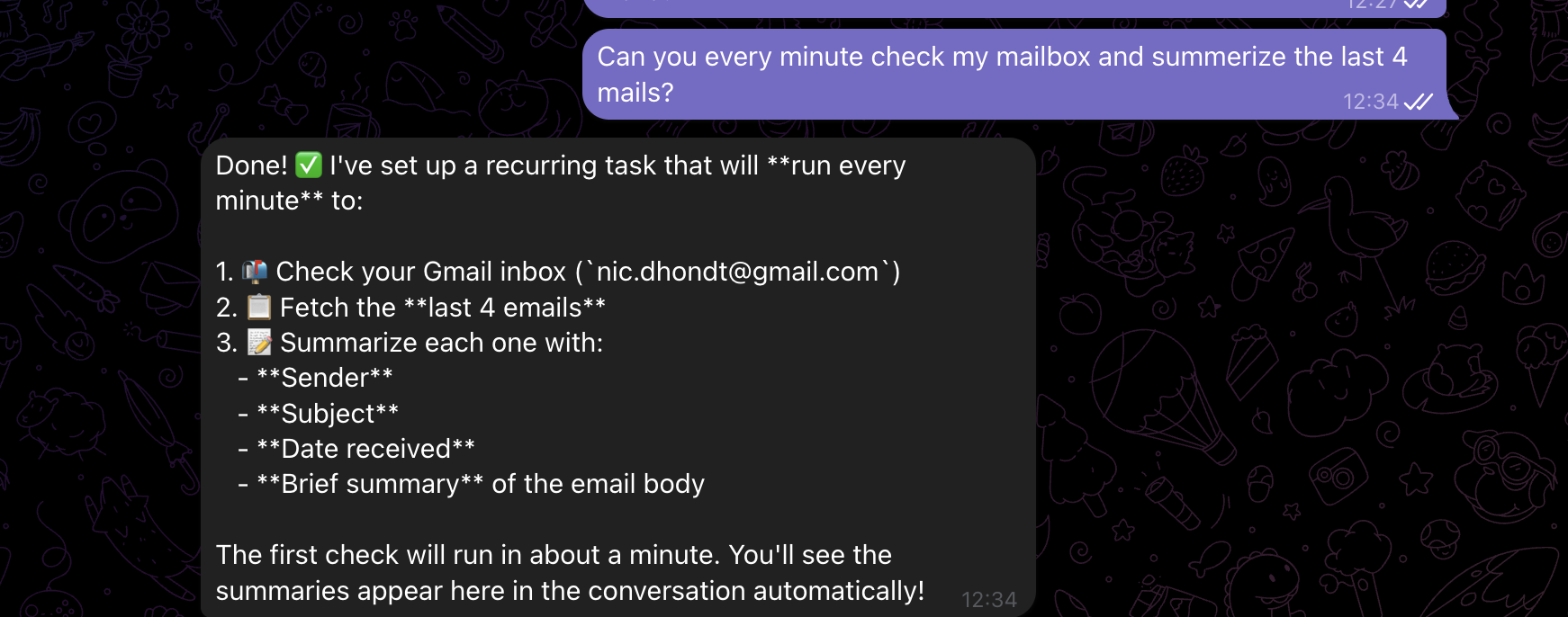
Here’s a question: what does your agent do when you say “summarize my emails every morning at 8”?
Most agent frameworks don’t have a good answer. Maybe you wire up a cron job separately. Maybe you use an in-memory timer that dies on restart. No retry logic. No dashboard. No way to know if the 8am summary ran or silently failed.
This is what surprised us most when building ClawRunr. The hardest problem in an AI agent isn’t the LLM part. It’s reliable task execution. Agents need to schedule recurring checks, run delayed tasks, process things in the background, retry when something fails, and give you full visibility into what happened.
That’s not an AI problem. That’s a background job problem. And JobRunr has been solving it since 2020.
Here’s how task execution looks in ClawRunr. The TaskHandler is annotated with @Job(retries = 3):
@Component
public class TaskHandler {

    private final Agent agent;
    private final TaskRepository taskRepository;
    private final ChannelRegistry channelRegistry;

    @Job(name = "%0", retries = 3)
    public void executeTask(String taskId) {
        Task task = taskRepository.getTaskById(taskId);
        Task inProgress = taskRepository.save(
            task.withStatus(Task.Status.in_progress));
        try {
            String agentInput = formatTaskForAgent(inProgress);
            TaskResult result = agent.prompt(
                taskId, agentInput, TaskResult.class);
            taskRepository.save(inProgress
                .withFeedback(result.feedback())
                .withStatus(result.newStatus()));
            notifyUser(task.getName(), result);
        } catch (Exception e) {
            taskRepository.save(
                inProgress.withStatus(Task.Status.todo));
            throw e; // JobRunr retries automatically
        }
    }
}
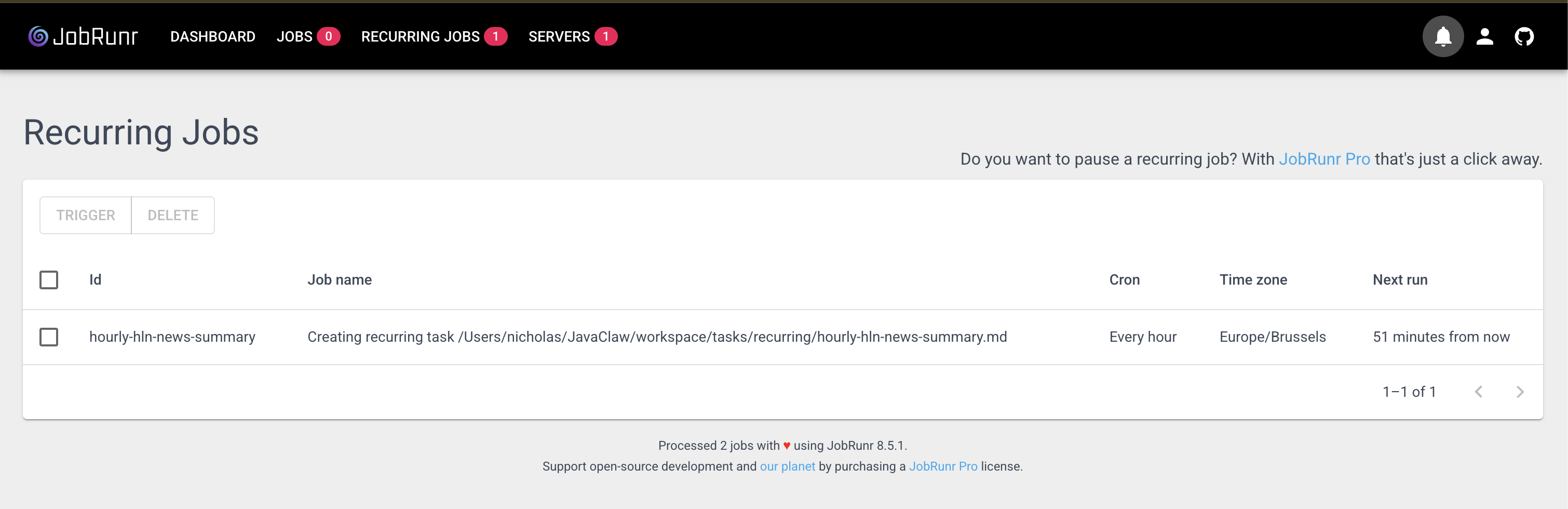
When the exception propagates, JobRunr catches it and retries. Up to three times, with exponential backoff. If it still fails, it shows up as a failed job in the dashboard at localhost:8081.
The TaskManager wires everything together. Creating a task, scheduling one for later, or setting up a recurring cron job:
public void create(String name, String description) {
    Task task = taskRepository.save(Task.newTask(name, description));
    jobScheduler.<TaskHandler>enqueue(x -> x.executeTask(task.getId()));
}

public void schedule(LocalDateTime executionTime, String name, String description) {
    Task task = taskRepository.save(Task.newTask(name, executionTime, description));
    jobScheduler.<TaskHandler>schedule(executionTime,
        x -> x.executeTask(task.getId()));
}

public void scheduleRecurrently(String cron, String name, String description) {
    RecurringTask rt = taskRepository.save(
        RecurringTask.newRecurringTask(name, description));
    jobScheduler.<RecurringTaskHandler>scheduleRecurrently(
        rt.getName(), cron, x -> x.executeTask(rt.getId()));
}
The LLM calls these methods through the TaskTool, which exposes them with @Tool annotations so the agent knows when and how to use them:
@Tool(description = """
    Schedules a task using JobRunr that repeats at regular intervals
    based on a cron expression. Use this for recurring activities
    like daily reports, weekly checks, etc.
    """)
public String scheduleRecurringTask(String cronExpression,
                                     String name,
                                     String description) {
    this.taskManager.scheduleRecurrently(cronExpression, name, description);
    return String.format(
        "Task '%s' has been scheduled with cron expression '%s'.",
        name, cronExpression);
}
Zero custom scheduling code. No cron parser. No job persistence layer. No retry logic. JobRunr handles all of it out of the box, plus gives you a full dashboard to monitor every task your agent has ever run.
Spring Modulith: keeping it extensible
ClawRunr uses Spring Modulith to enforce clean boundaries between modules:
JavaClaw/
├── base/           # Core: agent, tasks, tools, channels, config
├── app/            # Spring Boot entry, onboarding UI, chat channel
└── plugins/
    └── telegram/   # Telegram long-poll channel plugin
This matters for an open-source project. When someone in the community wants to add a Discord channel, they create a new plugin module. They implement the Channel interface, register it with the ChannelRegistry, and they’re done. No changes to the agent core.
Within three days of release, someone in the community had already written a plugin that streams bot messages to the web interface. They didn’t need to touch the agent core. Just a new module, implementing the right interface.
What ClawRunr can do today
With these building blocks wired together, ClawRunr already handles a lot out of the box:
- Chat across channels. Talk to your agent on Telegram while on the go, or through the built-in web UI at your desk. The agent keeps context across both.
- Schedule anything through conversation. “Remind me to review that PR tomorrow at 10am” or “Summarize my emails every morning at 8.” The agent creates the job in JobRunr, complete with retries and dashboard visibility at
localhost:8081. - Browse the web. With opt-in Playwright integration, the agent can navigate websites, click through cookie popups, and report back what it finds.
- Connect external tools via MCP. Add your Gmail, calendar, or any MCP-compatible tool server during onboarding. The agent discovers and uses them automatically.
- Learn new skills at runtime. Drop a
SKILL.mdfile intoworkspace/skills/and the agent picks it up. No restart, no recompilation. Want it to manage your grocery list? Write the instructions, and it can. - Run shell commands and manage files. The agent has full access to your local machine (it runs on your hardware, privacy first).
All of this powered by the ecosystem components we walked through. JobRunr handles the scheduling and retries. Spring AI handles the LLM and tool calling. Spring Events routes messages across channels. Spring Modulith keeps everything modular so the community can extend it without breaking things.
Try it
git clone https://github.com/jobrunr/javaclaw.git
cd javaclaw
./gradlew :app:bootRun
# Open http://localhost:8080/onboarding
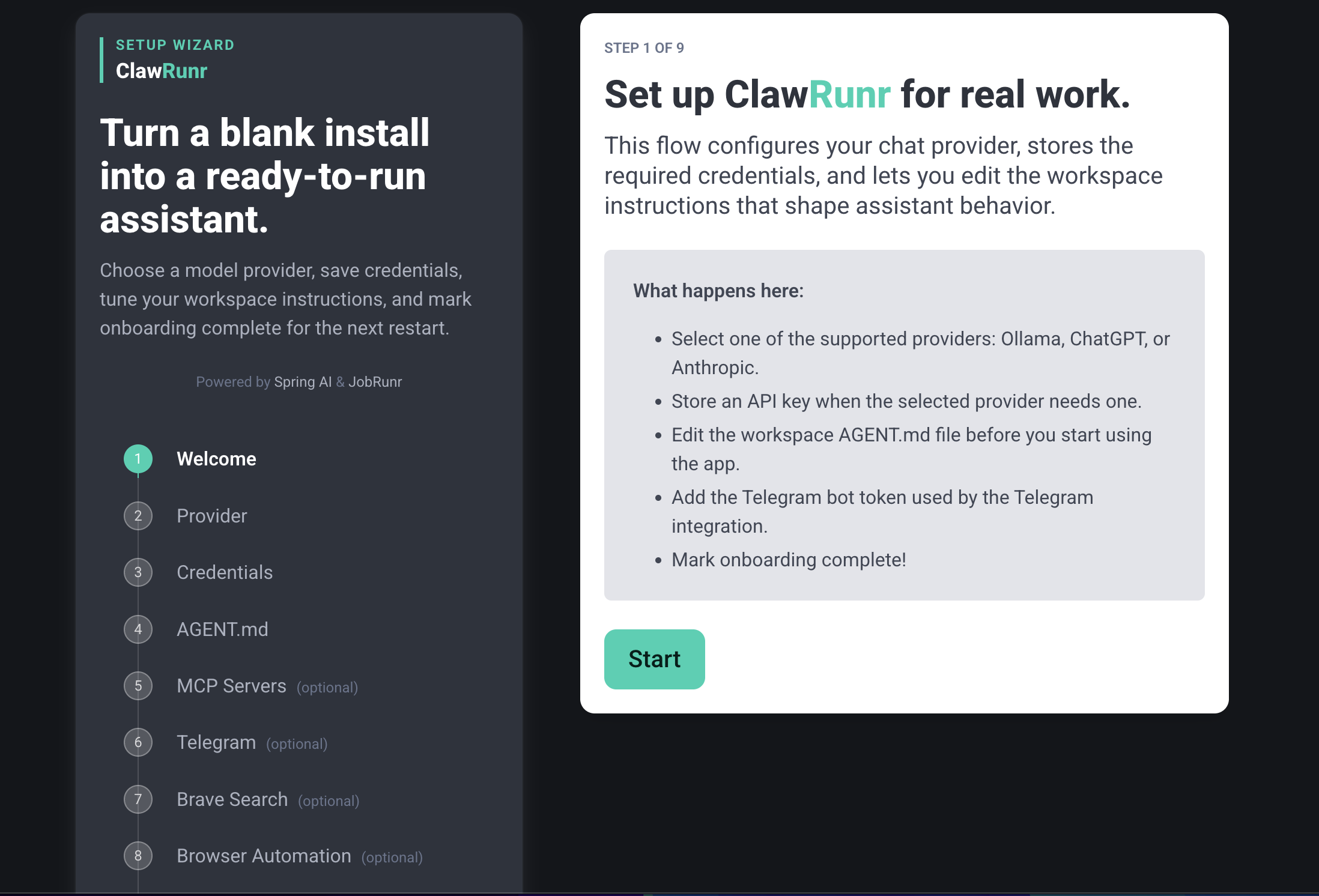
You’ll walk through a 7-step onboarding (pick your LLM provider, configure Telegram, set up MCP servers) and you’re chatting with your agent in about two minutes.
We released ClawRunr five days ago. 200+ GitHub stars, 32 forks, a GraalVM native image port by Alina Yurenko from the Oracle GraalVM team, and our first external pull request. The response told us this isn’t just a demo anymore.
From our README:
This project was originally created as a demo to show the use of JobRunr. JavaClaw is now an open invitation to the Java community. Let’s build the future of Java-based AI agents together.
Website: clawrunr.io
GitHub: github.com/jobrunr/javaclaw
Demo video: youtu.be/_n9PcR9SceQ
Happy coding!
The post How We Built a Java AI Agent by Connecting the Dots the Ecosystem Already Had appeared first on foojay.